Amenoke
1.1.0-rc1-TYP
Type System Release Candidate | Improved type checking & performance profiling
Github Repository
•
AMENODES
•
Wiki Docs
## Introduction
AMNDS is a node-based visual programming language developed in JavaScript for data analysis and work, replacing cumbersome Excel spreadsheets with a large set of mathematical tools.
## Tools under development
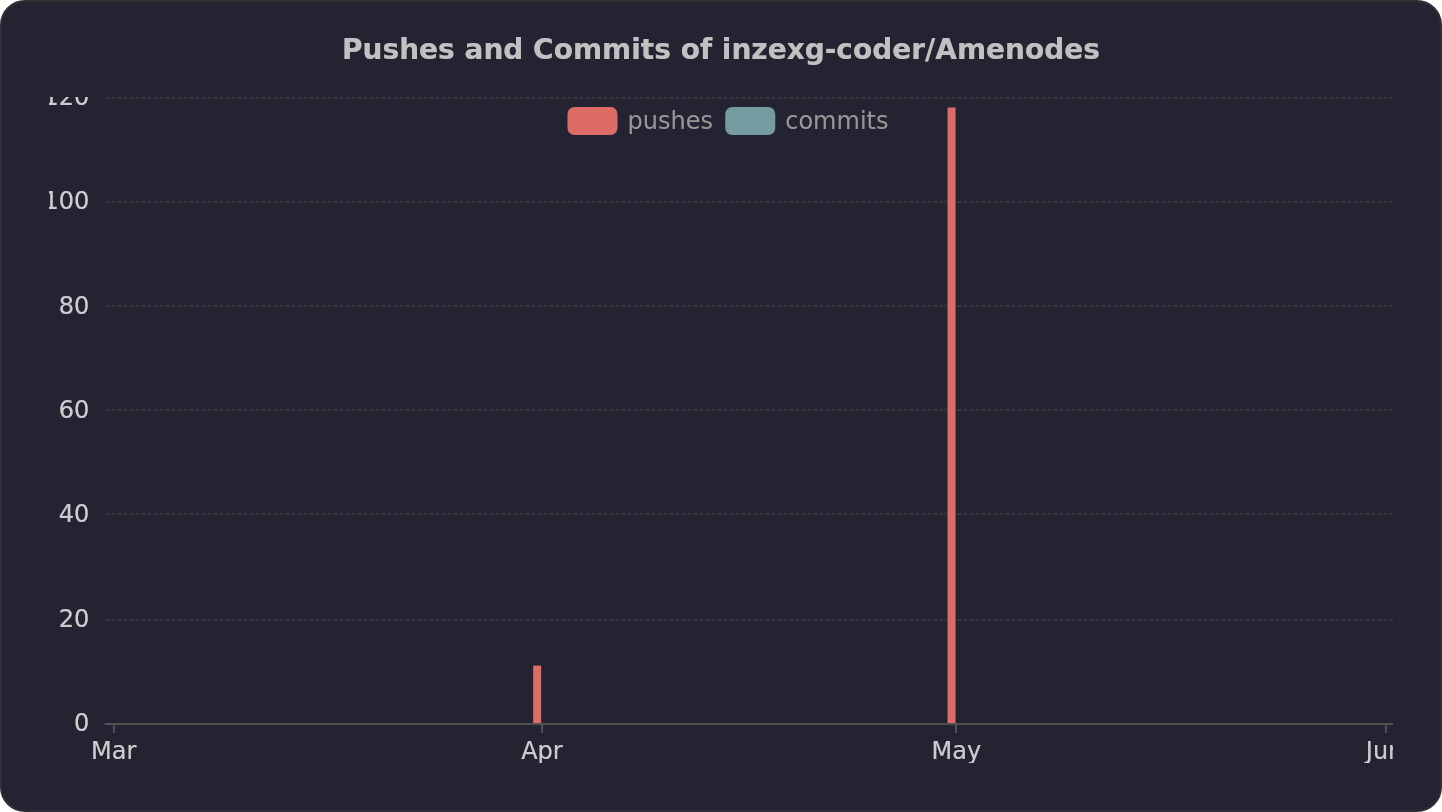
See Wikipedia update statistics and problem resolutions in the following graphs:
 ## Amenoke stats
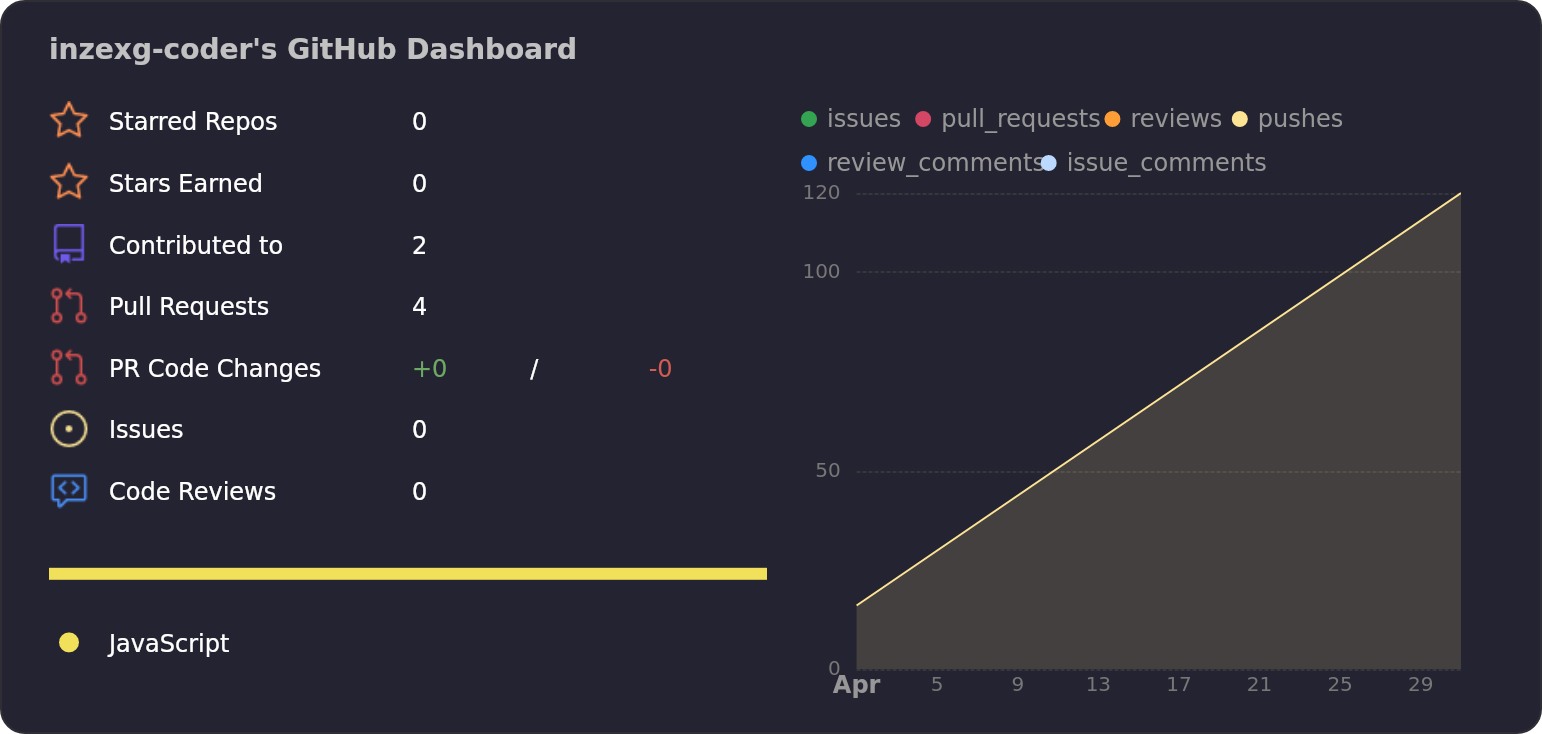
My latest actions on the GitHub page, somehow related to the project or others:
## Amenoke stats
My latest actions on the GitHub page, somehow related to the project or others:
 ---
## Developer Documentation
### Project Architecture
The codebase is modularized into ES6 classes organized by responsibility. Below is the complete directory structure:
```
root/
├── amenodes.html # Main application entry point
├── core/
│ ├── Graph.js # Core graph data structure (nodes, edges, evaluation)
│ ├── Node.js # Abstract base class for all node types
│ ├── Edge.js # Edge/connection model
│ └── History.js # Undo/redo with localStorage autosave
├── nodes/
│ ├── NumberNode.js # Numeric value node
│ ├── GroupNode.js # Multi-value container node
│ ├── CalcNode.js # Calculation node (div3, div_sqrt12, sqrt_sum_sq)
│ ├── OutputNode.js # Results display node
│ └── MapNode.js # Value mapping/transformation node
├── rendering/
│ ├── Viewport.js # Pan/zoom viewport controller
│ └── DomRenderer.js # DOM manipulation, edge rendering, drag handling
├── ui/
│ ├── EditableTitle.js # Inline editable title component
│ └── OptimizationPanel.js # Performance tuning panel UI
├── utils/
│ ├── SymbolMapper.js # Greek letter and math symbol substitution
│ └── FPSCounter.js # Real-time FPS measurement utility
└── config/
└── Optimizations.js # Performance optimization definitions and metadata
```
### Class Responsibility Matrix
| Class | File Path | Purpose | Dependencies |
|-------|-----------|---------|--------------|
| `Graph` | `core/Graph.js` | Manages nodes, edges, dependency resolution, value propagation | `Node`, `Edge` |
| `Node` | `core/Node.js` | Abstract node interface with lifecycle methods | None |
| `NumberNode` | `nodes/NumberNode.js` | Single numeric input/output | `Node` |
| `GroupNode` | `nodes/GroupNode.js` | Array of named numeric values | `Node`, `EditableTitle` |
| `CalcNode` | `nodes/CalcNode.js` | Mathematical operations on incoming edges | `Node` |
| `OutputNode` | `nodes/OutputNode.js` | Displays computed results in table format | `Node`, `EditableTitle` |
| `MapNode` | `nodes/MapNode.js` | X→Y value mapping with passthrough/separate modes | `Node`, `EditableTitle` |
| `Edge` | `core/Edge.js` | Connection between source and target ports | None |
| `History` | `core/History.js` | Snapshot-based undo/redo with autosave | `Graph` |
| `Viewport` | `rendering/Viewport.js` | Camera control (pan with right mouse button) | None |
| `DomRenderer` | `rendering/DomRenderer.js` | Node DOM creation, edge SVG rendering, drag-drop | `Graph`, `Viewport` |
| `EditableTitle` | `ui/EditableTitle.js` | Click-to-edit title component | `SymbolMapper` |
| `OptimizationPanel` | `ui/OptimizationPanel.js` | Performance settings UI with benchmarking | `OPTIMIZATIONS` |
| `SymbolMapper` | `utils/SymbolMapper.js` | `$alpha` → `α` conversion | None |
| `FPSCounter` | `utils/FPSCounter.js` | requestAnimationFrame-based FPS monitoring | None |
| `OPTIMIZATIONS` | `config/Optimizations.js` | Static optimization descriptors array | None |
### Versioning System for Developers
Amenoke follows a **structured versioning scheme** combining semantic versioning, pre-release labels, and change-type codes.
#### Format
`MAJOR.MINOR.PATCH[-PRERELEASE][-CODETYPE]`
| Component | Meaning | Example |
|-----------|---------|---------|
| **MAJOR** | Breaking changes (incompatible API) | `2.0.0` |
| **MINOR** | Backward-compatible new features | `1.1.0` |
| **PATCH** | Backward-compatible bug fixes | `1.0.1` |
| **PRERELEASE** | Development phase: `-alphaN`, `-betaN`, `-rcN` | `-rc1` |
| **CODETYPE** | Nature of changes: `API`, `TYP`, `SEC`, `OPT`, `DEP`, `REM`, `SYN` | `-TYP` |
#### Change Type Codes
| Code | Meaning | When to Use |
|------|---------|--------------|
| `API` | Public API changes (new/removed methods) | After modifying `Graph.js` public interface |
| `TYP` | Type system enhancements | After changes to type checking in `Node.js` |
| `SEC` | Security fixes | After patching vulnerabilities |
| `OPT` | Performance optimizations | After changes in `Optimizations.js` |
| `DEP` | Deprecations (still working) | After marking old features as deprecated |
| `REM` | Removed deprecated features | After deleting old functionality |
| `SYN` | Syntax/parser changes | After modifying node connection rules |
#### Full Version Examples
| Human Readable | System Version | Meaning |
|----------------|----------------|---------|
| Type System RC1 | `1.1.0-rc1-TYP` | New type system, release candidate 1 |
| Security Hotfix | `1.0.2-SEC` | Critical security patch |
| API Redesign | `2.0.0-beta1-API` | Breaking API changes in beta |
| Performance Boost | `1.0.1-OPT` | Optimized evaluation engine |
#### How to Bump Version
1. Determine change type from commit history
2. Increment component according to rules:
- Breaking change → `MAJOR+1`, reset `MINOR`/`PATCH` to 0
- New feature → `MINOR+1`, reset `PATCH` to 0
- Bug fix → `PATCH+1`
3. Append appropriate `CODETYPE` based on primary change
4. For pre-releases, append `-alpha/beta/rcN`
Example after merging PR #1 (type system):
```
Previous: 1.0.0
Change: New type system with optimizations
New version: 1.1.0-rc1-TYP
```
### Module Loading Strategy
The application uses ES6 modules with an import map defined in `amenodes.html`:
```html
```
All relative paths resolve from the document root. When deploying, ensure the directory structure matches exactly as shown above.
### Git Workflow for Contributors
#### Repository Setup
```bash
git clone https://github.com/inzexg-coder/Amenodes.git
cd Amenodes
git checkout -b feature/your-feature-name
```
#### Commit Convention
Use semantic commit messages:
| Prefix | Purpose |
|--------|---------|
| `feat:` | New feature or node type |
| `fix:` | Bug fix |
| `refactor:` | Code restructuring without behavior change |
| `style:` | CSS/visual changes only |
| `docs:` | Documentation updates |
| `perf:` | Performance optimization |
| `chore:` | Build/config changes |
#### Before Committing
1. Test all existing node types
2. Run manual FPS benchmark (open optimization panel → "Пересчитать влияние оптимизаций")
3. Ensure no regression in undo/redo functionality
4. Verify import/export compatibility with previous saves
#### Pull Request Process
1. Push to your feature branch
2. Open PR against `main` branch
3. Include description of changes and test results
4. Request review from project maintainer
#### Hotfix Deployment
For critical fixes to `amenodes.html` (the single-file distribution):
```bash
git checkout main
git pull origin main
# Apply fix
git add amenodes.html
git commit -m "hotfix: description"
git push origin main
```
### Performance Optimization Guidelines
The optimization system benchmarks each technique independently. When adding performance-related code:
1. Add entry to `config/Optimizations.js` with `impl: true` if implementable
2. Implement toggle logic in `applyOptimizations()` function
3. The benchmarking framework automatically measures FPS impact
Important: The optimization panel runs benchmarks sequentially. Each optimization is measured in isolation for accurate gain calculation.
### Contact & Support
---
## Developer Documentation
### Project Architecture
The codebase is modularized into ES6 classes organized by responsibility. Below is the complete directory structure:
```
root/
├── amenodes.html # Main application entry point
├── core/
│ ├── Graph.js # Core graph data structure (nodes, edges, evaluation)
│ ├── Node.js # Abstract base class for all node types
│ ├── Edge.js # Edge/connection model
│ └── History.js # Undo/redo with localStorage autosave
├── nodes/
│ ├── NumberNode.js # Numeric value node
│ ├── GroupNode.js # Multi-value container node
│ ├── CalcNode.js # Calculation node (div3, div_sqrt12, sqrt_sum_sq)
│ ├── OutputNode.js # Results display node
│ └── MapNode.js # Value mapping/transformation node
├── rendering/
│ ├── Viewport.js # Pan/zoom viewport controller
│ └── DomRenderer.js # DOM manipulation, edge rendering, drag handling
├── ui/
│ ├── EditableTitle.js # Inline editable title component
│ └── OptimizationPanel.js # Performance tuning panel UI
├── utils/
│ ├── SymbolMapper.js # Greek letter and math symbol substitution
│ └── FPSCounter.js # Real-time FPS measurement utility
└── config/
└── Optimizations.js # Performance optimization definitions and metadata
```
### Class Responsibility Matrix
| Class | File Path | Purpose | Dependencies |
|-------|-----------|---------|--------------|
| `Graph` | `core/Graph.js` | Manages nodes, edges, dependency resolution, value propagation | `Node`, `Edge` |
| `Node` | `core/Node.js` | Abstract node interface with lifecycle methods | None |
| `NumberNode` | `nodes/NumberNode.js` | Single numeric input/output | `Node` |
| `GroupNode` | `nodes/GroupNode.js` | Array of named numeric values | `Node`, `EditableTitle` |
| `CalcNode` | `nodes/CalcNode.js` | Mathematical operations on incoming edges | `Node` |
| `OutputNode` | `nodes/OutputNode.js` | Displays computed results in table format | `Node`, `EditableTitle` |
| `MapNode` | `nodes/MapNode.js` | X→Y value mapping with passthrough/separate modes | `Node`, `EditableTitle` |
| `Edge` | `core/Edge.js` | Connection between source and target ports | None |
| `History` | `core/History.js` | Snapshot-based undo/redo with autosave | `Graph` |
| `Viewport` | `rendering/Viewport.js` | Camera control (pan with right mouse button) | None |
| `DomRenderer` | `rendering/DomRenderer.js` | Node DOM creation, edge SVG rendering, drag-drop | `Graph`, `Viewport` |
| `EditableTitle` | `ui/EditableTitle.js` | Click-to-edit title component | `SymbolMapper` |
| `OptimizationPanel` | `ui/OptimizationPanel.js` | Performance settings UI with benchmarking | `OPTIMIZATIONS` |
| `SymbolMapper` | `utils/SymbolMapper.js` | `$alpha` → `α` conversion | None |
| `FPSCounter` | `utils/FPSCounter.js` | requestAnimationFrame-based FPS monitoring | None |
| `OPTIMIZATIONS` | `config/Optimizations.js` | Static optimization descriptors array | None |
### Versioning System for Developers
Amenoke follows a **structured versioning scheme** combining semantic versioning, pre-release labels, and change-type codes.
#### Format
`MAJOR.MINOR.PATCH[-PRERELEASE][-CODETYPE]`
| Component | Meaning | Example |
|-----------|---------|---------|
| **MAJOR** | Breaking changes (incompatible API) | `2.0.0` |
| **MINOR** | Backward-compatible new features | `1.1.0` |
| **PATCH** | Backward-compatible bug fixes | `1.0.1` |
| **PRERELEASE** | Development phase: `-alphaN`, `-betaN`, `-rcN` | `-rc1` |
| **CODETYPE** | Nature of changes: `API`, `TYP`, `SEC`, `OPT`, `DEP`, `REM`, `SYN` | `-TYP` |
#### Change Type Codes
| Code | Meaning | When to Use |
|------|---------|--------------|
| `API` | Public API changes (new/removed methods) | After modifying `Graph.js` public interface |
| `TYP` | Type system enhancements | After changes to type checking in `Node.js` |
| `SEC` | Security fixes | After patching vulnerabilities |
| `OPT` | Performance optimizations | After changes in `Optimizations.js` |
| `DEP` | Deprecations (still working) | After marking old features as deprecated |
| `REM` | Removed deprecated features | After deleting old functionality |
| `SYN` | Syntax/parser changes | After modifying node connection rules |
#### Full Version Examples
| Human Readable | System Version | Meaning |
|----------------|----------------|---------|
| Type System RC1 | `1.1.0-rc1-TYP` | New type system, release candidate 1 |
| Security Hotfix | `1.0.2-SEC` | Critical security patch |
| API Redesign | `2.0.0-beta1-API` | Breaking API changes in beta |
| Performance Boost | `1.0.1-OPT` | Optimized evaluation engine |
#### How to Bump Version
1. Determine change type from commit history
2. Increment component according to rules:
- Breaking change → `MAJOR+1`, reset `MINOR`/`PATCH` to 0
- New feature → `MINOR+1`, reset `PATCH` to 0
- Bug fix → `PATCH+1`
3. Append appropriate `CODETYPE` based on primary change
4. For pre-releases, append `-alpha/beta/rcN`
Example after merging PR #1 (type system):
```
Previous: 1.0.0
Change: New type system with optimizations
New version: 1.1.0-rc1-TYP
```
### Module Loading Strategy
The application uses ES6 modules with an import map defined in `amenodes.html`:
```html
```
All relative paths resolve from the document root. When deploying, ensure the directory structure matches exactly as shown above.
### Git Workflow for Contributors
#### Repository Setup
```bash
git clone https://github.com/inzexg-coder/Amenodes.git
cd Amenodes
git checkout -b feature/your-feature-name
```
#### Commit Convention
Use semantic commit messages:
| Prefix | Purpose |
|--------|---------|
| `feat:` | New feature or node type |
| `fix:` | Bug fix |
| `refactor:` | Code restructuring without behavior change |
| `style:` | CSS/visual changes only |
| `docs:` | Documentation updates |
| `perf:` | Performance optimization |
| `chore:` | Build/config changes |
#### Before Committing
1. Test all existing node types
2. Run manual FPS benchmark (open optimization panel → "Пересчитать влияние оптимизаций")
3. Ensure no regression in undo/redo functionality
4. Verify import/export compatibility with previous saves
#### Pull Request Process
1. Push to your feature branch
2. Open PR against `main` branch
3. Include description of changes and test results
4. Request review from project maintainer
#### Hotfix Deployment
For critical fixes to `amenodes.html` (the single-file distribution):
```bash
git checkout main
git pull origin main
# Apply fix
git add amenodes.html
git commit -m "hotfix: description"
git push origin main
```
### Performance Optimization Guidelines
The optimization system benchmarks each technique independently. When adding performance-related code:
1. Add entry to `config/Optimizations.js` with `impl: true` if implementable
2. Implement toggle logic in `applyOptimizations()` function
3. The benchmarking framework automatically measures FPS impact
Important: The optimization panel runs benchmarks sequentially. Each optimization is measured in isolation for accurate gain calculation.
### Contact & Support


 ---
**Repository:** [https://github.com/inzexg-coder/Amenodes](https://github.com/inzexg-coder/Amenodes)
**Live Demo:** [https://amenoke.ru/amenodes.html](https://amenoke.ru/amenodes.html)
**Wiki:** [https://github.com/inzexg-coder/Amenodes/wiki](https://github.com/inzexg-coder/Amenodes/wiki)
---
**Repository:** [https://github.com/inzexg-coder/Amenodes](https://github.com/inzexg-coder/Amenodes)
**Live Demo:** [https://amenoke.ru/amenodes.html](https://amenoke.ru/amenodes.html)
**Wiki:** [https://github.com/inzexg-coder/Amenodes/wiki](https://github.com/inzexg-coder/Amenodes/wiki)